

 →
 →
 →
 →
 →
 →
 →
 →
 →
 →
 →
 →
 →
 →
 →
 →
 →
 →
 →
 →
 →
 →
 →
 →
 →
 →
 →
 →
 →
 →
 →
 →
 →
 →
 →
 →
 →
 →


 TouchEn nxWeb AI-Based Web Content Leakage
Prevention
Protect sensitive information
on web screens
with
web content leak prevention,
without
worrying about capture
Block everything from screen capture to printing and
viewing source with TouchEn nxWeb,
and safely protect
sensitive information exposed in your web services.










Challenges
Is sensitive information exposed
in your web services
leaking off the screen?

Risk of sensitive information being saved
and shared as images via screen capture
Possibility of content leaking through other
paths such as printing or viewing source
Concern about whether capture blocking
will work reliably on Windows 11
The burden of rechecking security
features whenever browser or
web environments change
Solution
Block web content leak risks
with reliable screen capture prevention
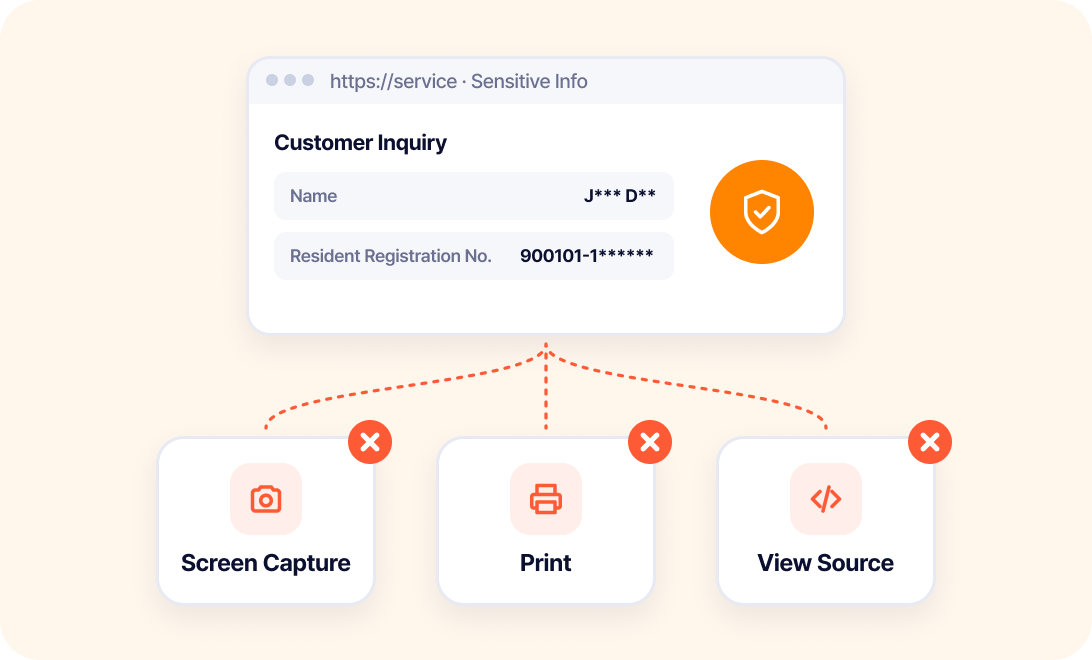
TouchEn nxWeb reliably blocks screen capture even on Windows 11, and prevents
web content leaks through key paths such as printing and viewing source.

Benefits
Display sensitive information safely,
with lower risk of leaks through the screen
can be saved as-is via screen capture
through printing or viewing page source
as Windows and browsers change
may affect existing web servers


 After
even on the security-hardened Windows 11
such as printing and viewing source
with multi-browser and Non-ActiveX support
with client-based operation and rapid technical support
Proven Technology
Technology that fully supports Windows 11
and diverse web browser environments

Reliable Capture Blocking
on Windows 11
Reliably blocks key Windows 11 capture tools
such as Snipping Tool and Game DVR

Diverse Web Content
Leak Prevention
Controls key content leak paths such as screen capture,
printing, and viewing source

Stable
Client-Based Operation
Runs on the client side without server load,
minimizing impact on web services
GS Certification Grade 1Korean Software Quality Certification
Key Features
From screen capture prevention to operational stability:
core web content security features
Provides core features that prevent web content leaks and operational features that reliably support diverse service environments.
01
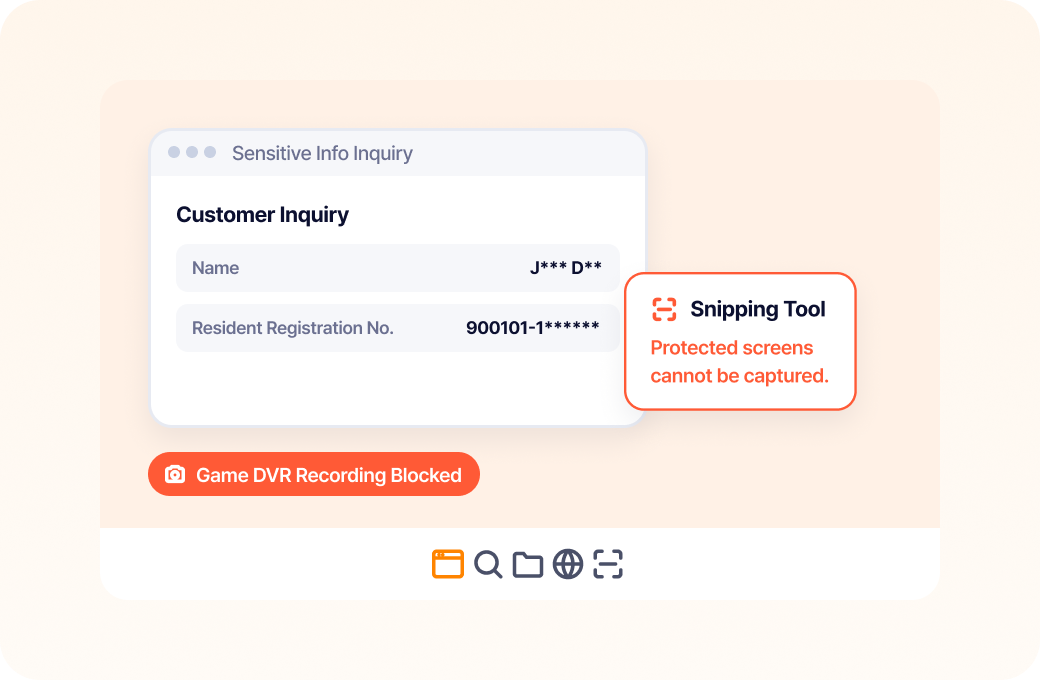
Windows 11 Capture Prevention
Reliably blocks key capture tools such as Snipping Tool and Game DVR,
even on Windows 11.
02
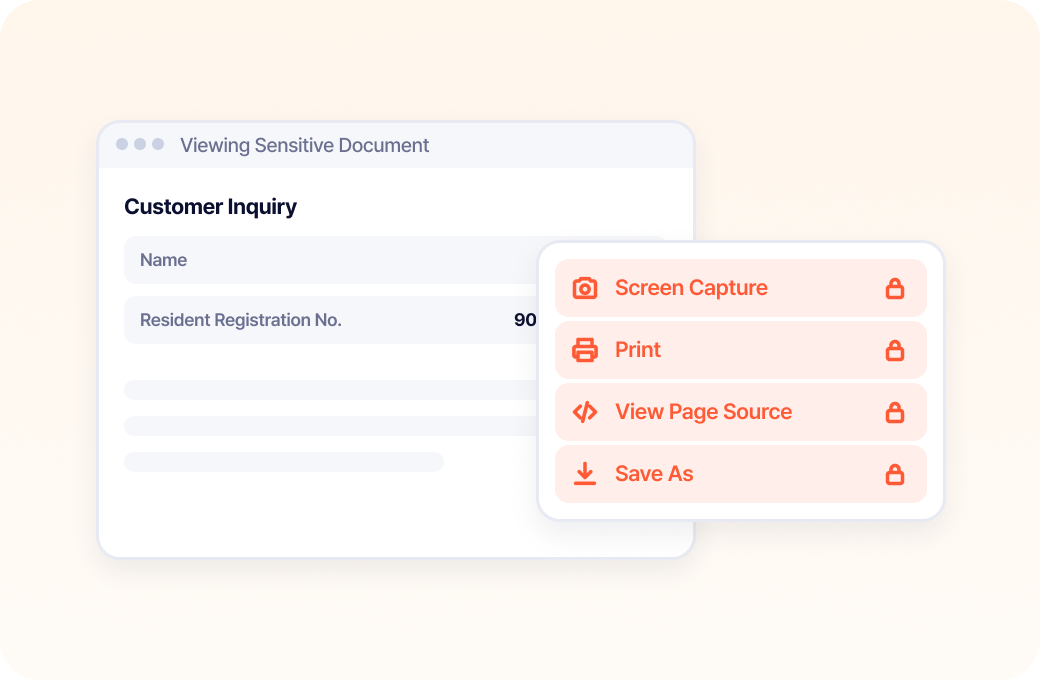
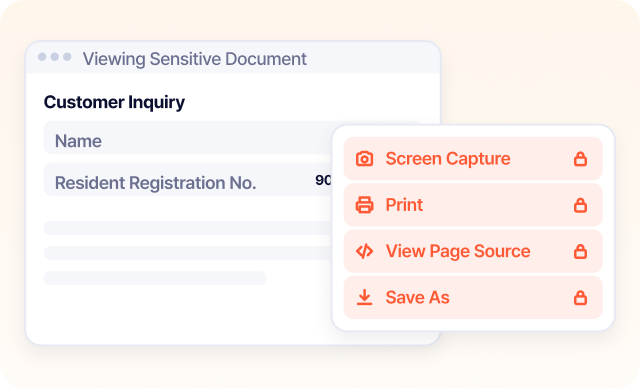
Web Content Leak Prevention
Blocks diverse paths such as screen capture, printing,
and viewing source to prevent sensitive information leaks.
03
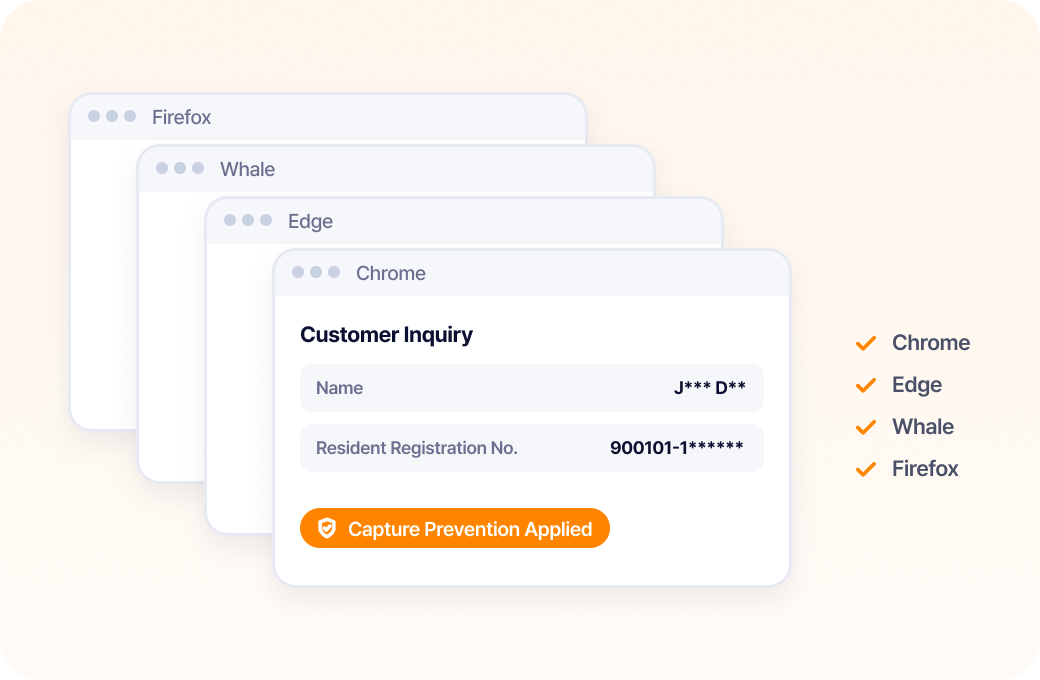
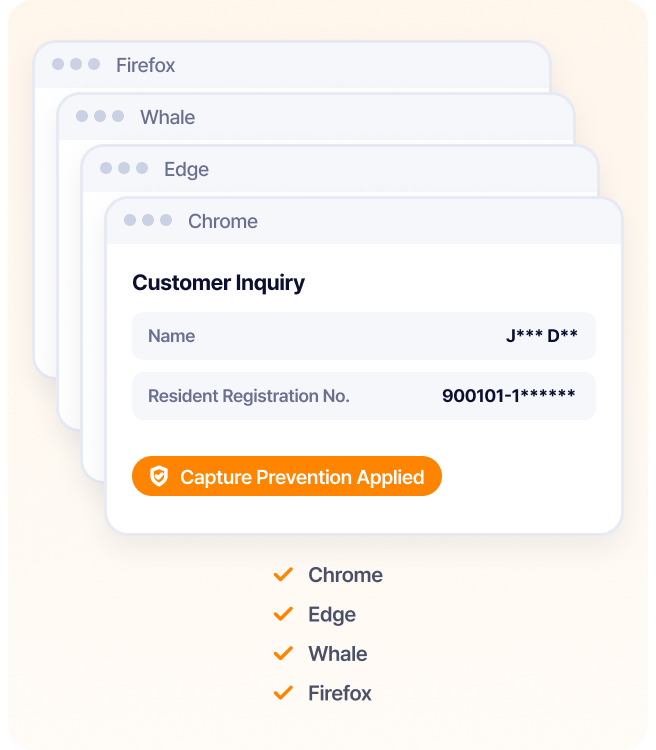
Multi-Browser Support
Reliably delivers the same content security performance
across diverse web browser environments.
04
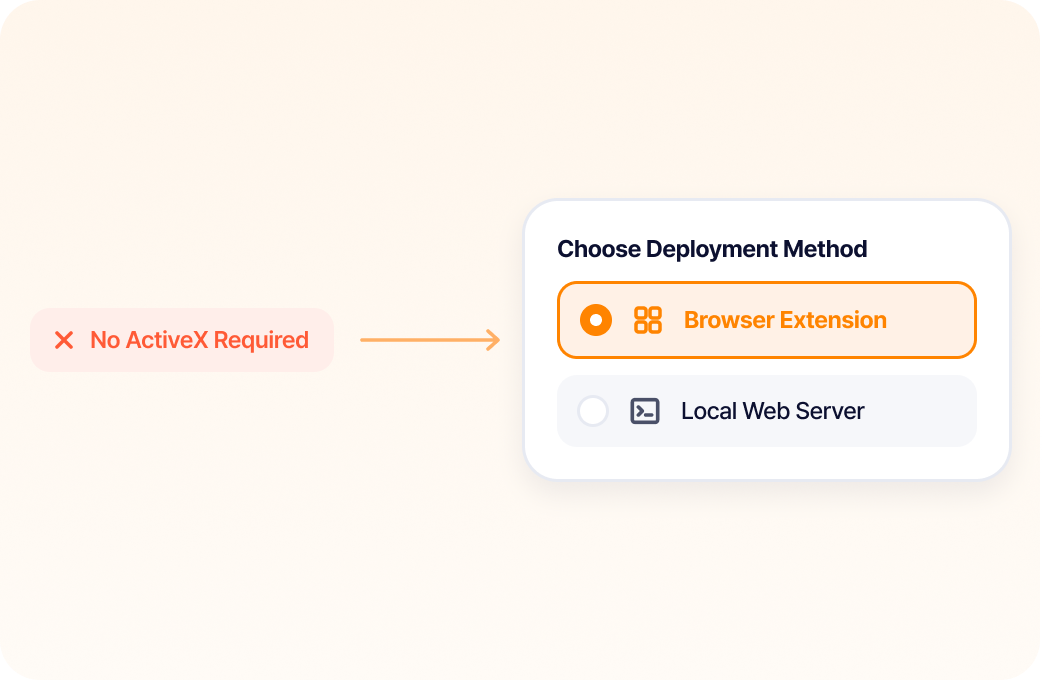
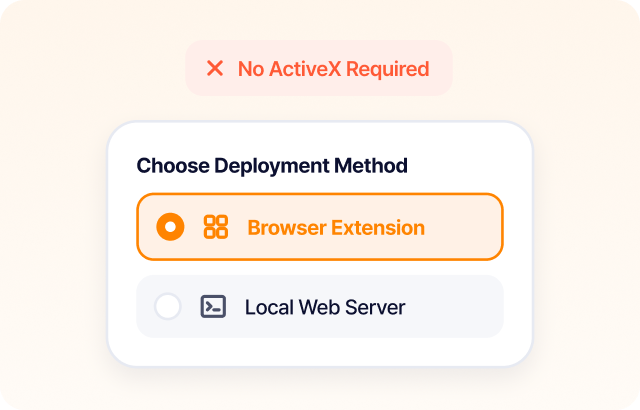
Non-ActiveX Environment Support
Can be applied to fit your service environment in various ways,
such as Browser Extension and Local Web Server.
05
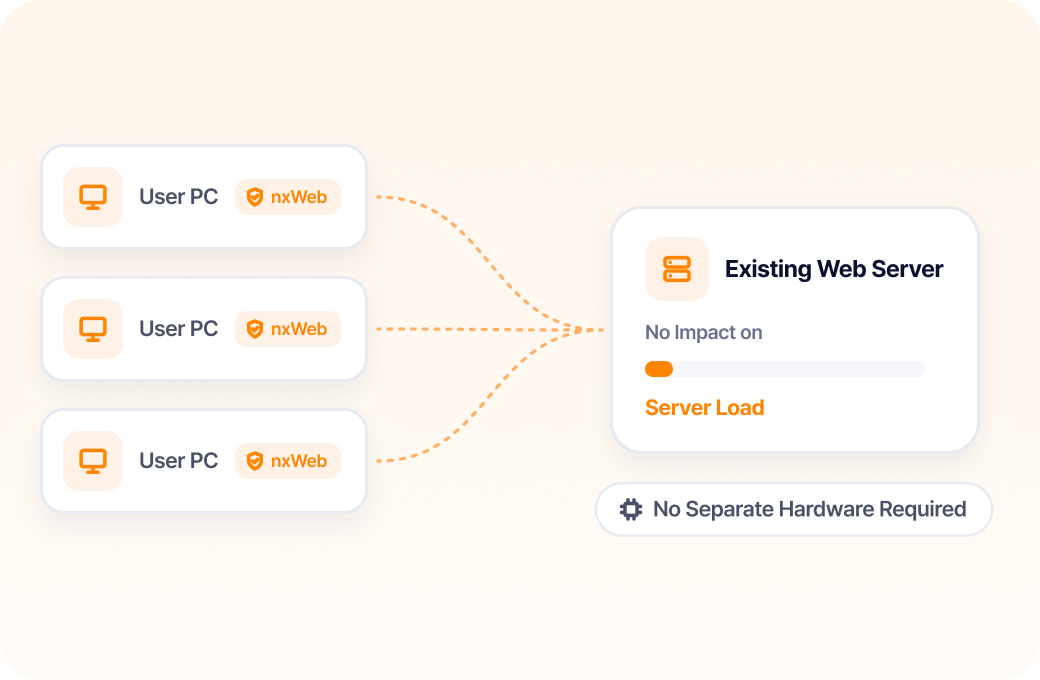
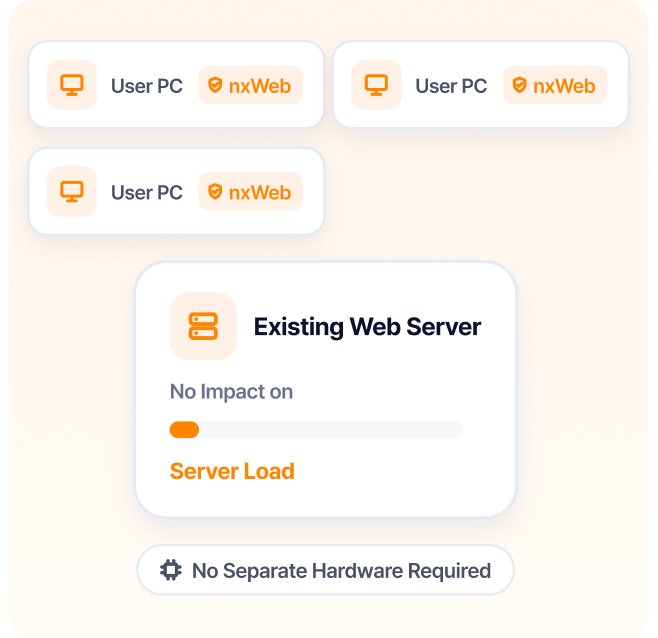
Client-Based Operation
Runs on the client side, so no separate hardware is needed,
and delivers stable service without loading existing web servers.
06
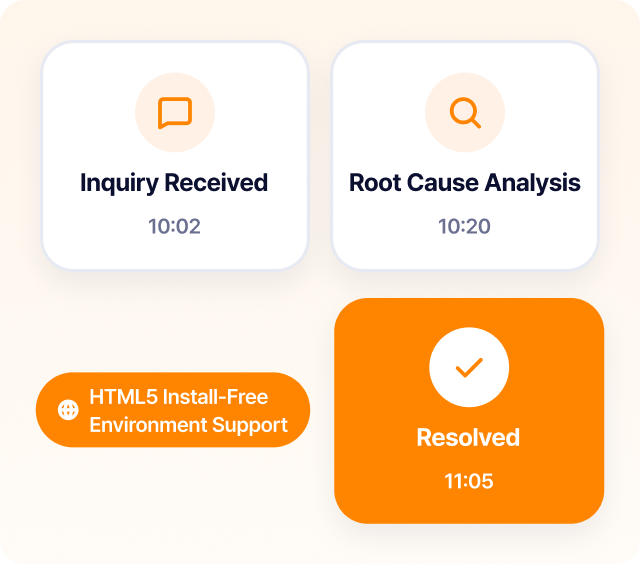
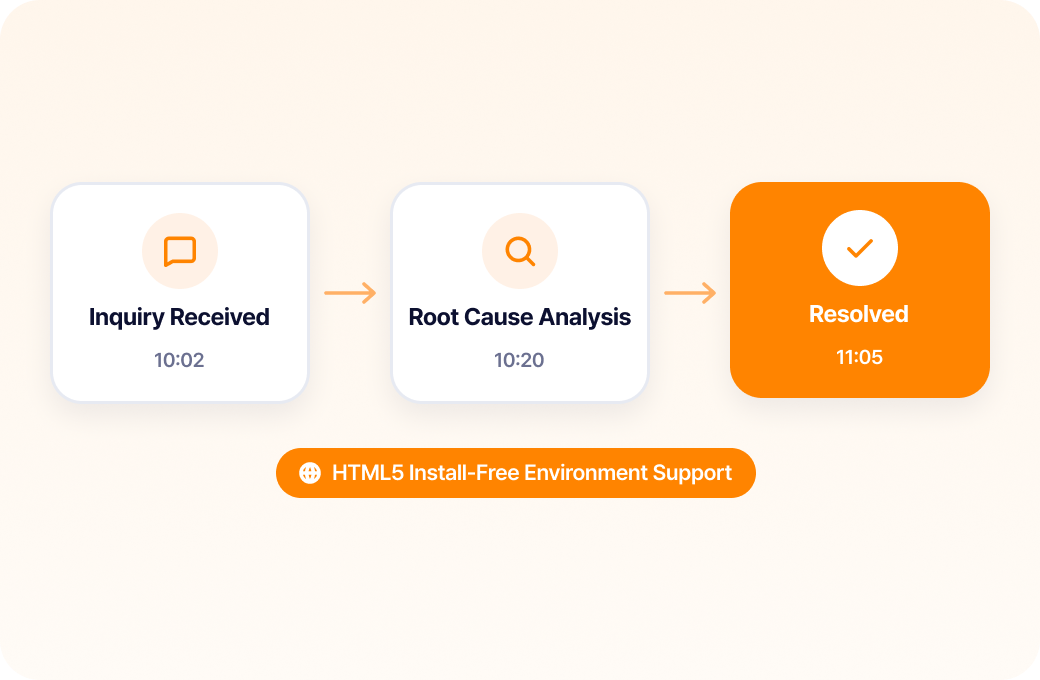
Rapid Technical Support
Responds quickly from inquiry to resolution, and flexibly supports
HTML5-based install-free environments.
Protect sensitive information on web screens
with TouchEn nxWeb, from capture to leaks
Challenges
Is sensitive information exposed
in your web services
leaking off the screen?
Risk of sensitive information being saved
and shared as images via screen capture
Possibility of content leaking
through other paths such as
printing or viewing source
Concern about whether capture blocking
will work reliably on Windows 11
The burden of rechecking security
features whenever browser or
web environments change
Block web content leak risks
with reliable screen
capture prevention
TouchEn nxWeb reliably blocks screen capture
even on Windows 11, and prevents web content
leaks through key paths such as printing and
viewing source.

Benefits
Display sensitive information
safely, with lower risk of leaks
through the screen
Before
Sensitive information on screen
can be saved as-is via screen capture
Web content can easily leak outside
through printing or viewing page source
Compatibility checks needed for existing capture
prevention as Windows and browsers change
Operational concerns that adding security features
may affect existing web servers
After
Reliable screen capture blocking
even on the security-hardened Windows 11
Control over key content leak paths
such as printing and viewing source
Support for diverse web environments
with multi-browser and Non-ActiveX support
Minimal impact on existing web servers
with client-based operation
and rapid technical support
Proven Technology
Technology that fully supports
Windows 11 and diverse web
browser environments
Reliable Capture Blocking on Windows 11
Reliably blocks key Windows 11 capture tools
such as Snipping Tool and Game DVR
Diverse Web Content Leak Prevention
Controls key content leak paths such as screen capture,
printing, and viewing source
Stable Client-Based Operation
Runs on the client side without server load,
minimizing impact on web services
GS Certification Grade 1
Korean Software
Quality Certification
Key Features
From screen capture prevention to
operational stability: core web
content security features
Provides core features that prevent web content leaks
and operational features that reliably support diverse
service environments.
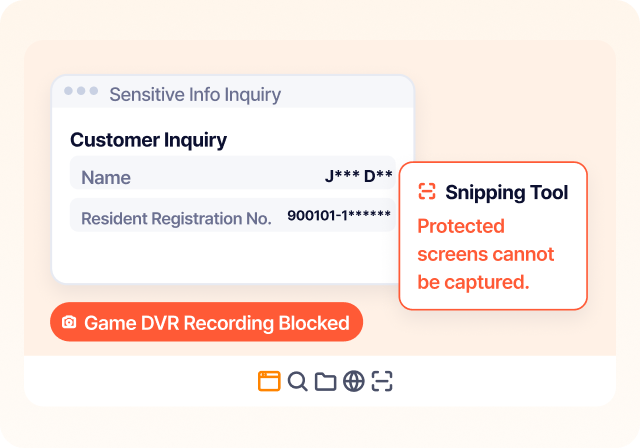
01
Windows 11 Capture Prevention
Reliably blocks key capture tools such as Snipping Tool
and Game DVR, even on Windows 11.
02
Web Content Leak Prevention
Blocks diverse paths such as screen capture, printing,
and viewing source to prevent sensitive information
leaks.
03
Multi-Browser Support
Reliably delivers the same content security performance
across diverse web browser environments.
04
Non-ActiveX Environment Support
Can be applied to fit your service environment in various
ways, such as Browser Extension and Local Web Server.
05
Client-Based Operation
Runs on the client side, so no separate hardware is
needed, and delivers stable service without loading
existing web servers.
06
Rapid Technical Support
Responds quickly from inquiry to resolution, and flexibly
supports HTML5-based install-free environments.